

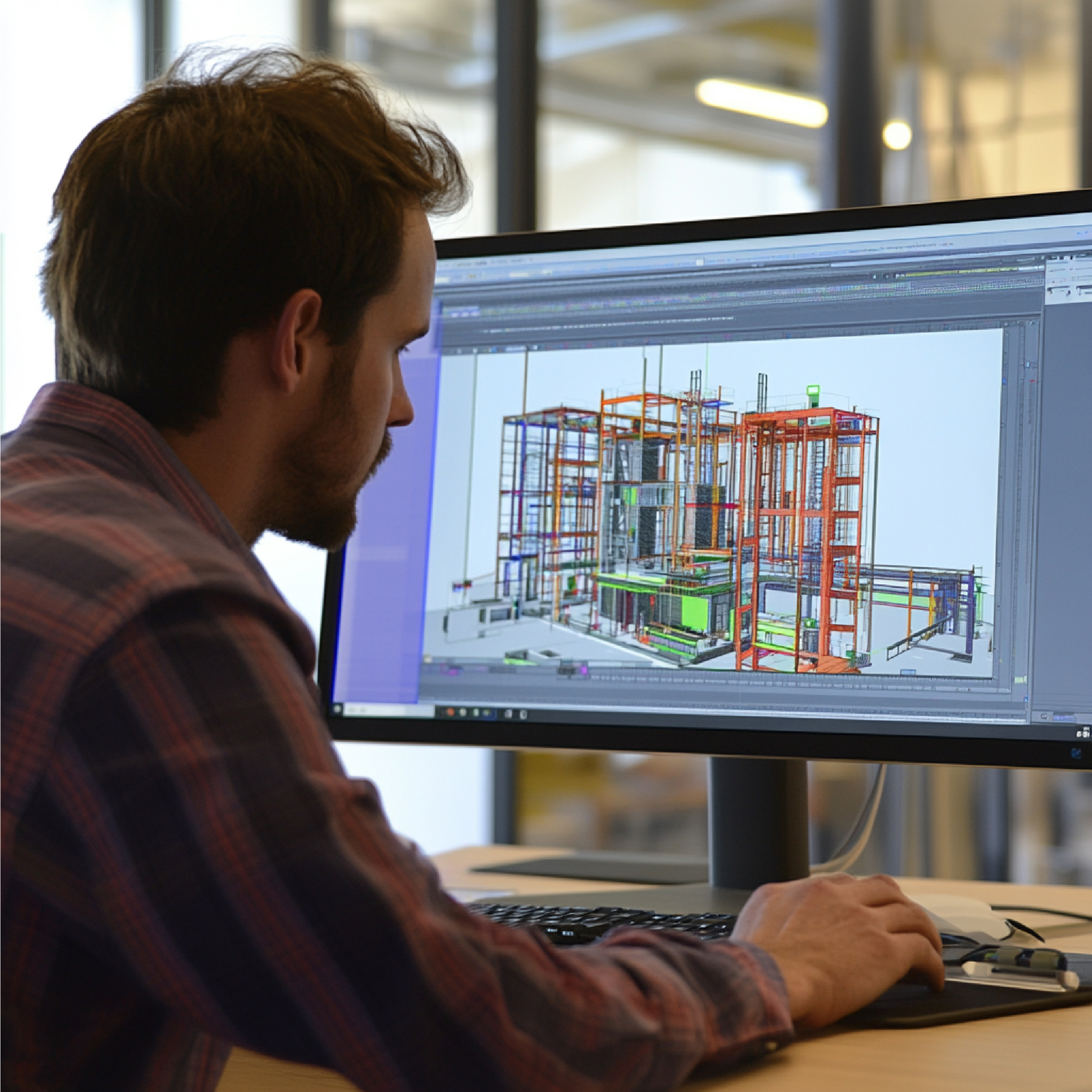
A Revit BIM model is much more than a three-dimensional drawing of a building. It is an intelligent digital representation of a physical asset where geometry, specifications, relationships, and project information can be organized into a connected model. For architects, structural engineers, MEP consultants, contractors, facility managers, and asset owners, this approach can transform the way a building is designed, documented, coordinated, constructed, and maintained. Autodesk describes BIM as a process for creating and managing information about built assets, while Revit is one of the software platforms that supports this process.
That distinction is important because a successful BIM project is not simply about creating attractive 3D geometry; it is about creating useful, structured information that can support decisions throughout a project’s lifecycle. For existing buildings, the opportunity becomes even more interesting when 3D laser scanning and point cloud data are used as the foundation for creating an accurate as-built Revit model. Instead of relying exclusively on outdated drawings or manual measurements, project teams can capture existing conditions digitally and convert those observations into a coordinated BIM environment. This is where Scan to BIM and Revit BIM modeling become especially valuable for complex buildings, industrial facilities, infrastructure environments, commercial properties, airports, healthcare facilities, heritage structures, and other assets where accuracy matters.
What Is a Revit BIM Model?
A Revit BIM model is a structured digital model created using Autodesk Revit to represent the physical and functional characteristics of a building or facility. Unlike a conventional 2D CAD drawing, where a line representing a wall is essentially just a line, a Revit wall can contain meaningful information about its dimensions, materials, location, relationships with other elements, and other project parameters. The same principle applies to doors, windows, floors, roofs, structural members, pipes, ducts, equipment, furniture, electrical components, and numerous other building elements.
This makes the model useful not only for visualization but also for documentation, coordination, quantity-related workflows, design development, and construction planning. Autodesk explains that Revit organizes model elements into categories and families, with parameters and information associated with those elements. In practical terms, this means that a BIM model can behave more like a digital database connected to a 3D representation than a simple collection of lines and surfaces. The value of the model therefore depends heavily on the quality of the information embedded within it. A poorly developed model may look impressive but provide limited practical value, while a properly structured model can become a valuable project information resource. For VB Terrascan, this becomes particularly relevant when the Revit model is developed from reality-capture data, because the objective is not simply to draw what a building should look like but to document what actually exists.
Revit vs BIM: What Is the Difference?
The terms Revit and BIM are often used interchangeably, but they are not the same thing. BIM, or Building Information Modeling, is a broader methodology and information-management approach used across the architecture, engineering, construction, and operations lifecycle. Revit is a software platform designed to help professionals create and manage building information models. Think of BIM as the overall language or working methodology and Revit as one of the tools that can be used to speak that language. This distinction becomes especially important when selecting a BIM service provider because buying or using Revit software does not automatically guarantee that the resulting model follows a useful BIM workflow.
A professional BIM model requires appropriate project standards, modeling rules, naming conventions, levels of development, element classification, coordination procedures, and quality control. Autodesk specifically notes that Revit itself is not BIM; BIM is the broader process of modeling and managing information associated with buildings and infrastructure. This is why an experienced Revit BIM modeling company should understand both the technical capabilities of Revit and the information requirements of the project. For existing structures, the process may begin with laser scanning, point clouds, photographs, drawings, or other survey information before that data is transformed into a structured Revit model.
Why Revit BIM Models Matter in Modern AEC Projects
Modern construction projects are becoming increasingly complex, and that complexity creates a growing need for reliable information. A project may involve architects, structural engineers, MEP consultants, contractors, fabricators, owners, surveyors, facility managers, and multiple specialist subcontractors. Each stakeholder needs access to accurate information, but traditional workflows often separate information into drawings, spreadsheets, PDFs, photographs, surveys, and individual software files. That fragmentation can create confusion and increase the possibility of coordination problems.
A well-developed Revit BIM model provides a more connected environment in which building components and their relationships can be represented consistently. When teams coordinate architectural, structural, and MEP information within a BIM workflow, they can identify potential conflicts before construction progresses too far. BIM also makes it easier to generate different representations of the same underlying information, including plans, sections, elevations, schedules, and 3D views. This connected approach is one of the major reasons BIM has become increasingly important across the AEC industry. Autodesk describes BIM as integrating structured, multidisciplinary information into a digital representation of an asset across its lifecycle. The practical benefit is simple: instead of asking different teams to interpret disconnected information, stakeholders can work from a more coordinated digital representation of the project.
From 2D Drawings to Intelligent Building Information
Many existing buildings still depend on 2D drawings that may be incomplete, inaccurate, outdated, or difficult to interpret. Renovation and retrofit projects can therefore begin with a major information gap. A drawing created twenty years ago may not reflect later modifications, relocated equipment, changed room layouts, new MEP installations, or structural alterations. Creating a Revit BIM model from existing documentation can help convert fragmented information into a more structured digital environment. Autodesk provides workflows for using traditional 2D CAD files as a basis for creating BIM models in Revit, although this is not an automatic one-click conversion.
The process requires interpretation, modeling, and coordination. For higher-confidence existing-condition documentation, laser scanning can add another layer of reality-based information. A scanner captures millions of measurements from the physical environment, producing a point cloud that can be registered and used as a reference for BIM development. Instead of measuring every wall, column, pipe, duct, or piece of equipment manually, the project team can work from a comprehensive digital capture of the environment. This is particularly valuable in complicated facilities where accessibility is limited and where even small discrepancies can affect downstream design decisions.
How a Revit BIM Model Is Created
Creating a Revit BIM model is a structured process rather than simply opening Revit and beginning to draw. The workflow usually starts by defining the project’s objectives, required deliverables, modeling scope, coordinate system, expected level of development, and source information. Depending on the project, source data may include architectural drawings, structural drawings, MEP drawings, survey information, photographs, specifications, CAD files, laser scans, point clouds, or a combination of these sources. Once the source information is reviewed, the project environment is established and the appropriate modeling standards are applied. Levels, grids, coordinates, and project units are established before the main model elements are developed. Architectural, structural, and MEP components can then be modeled according to the project requirements.
When the project is based on reality capture, the point cloud acts as a reference against which existing conditions can be interpreted and modeled. Quality assurance is an essential part of the process because a BIM model can contain thousands or even millions of individual data relationships. Errors in coordinates, element placement, family selection, or model structure can create problems later. A professional workflow therefore includes model review, coordination checks, visual inspection, and validation against the source information.
Starting With Existing Drawings or Site Data
The first question for an existing-building project is often surprisingly basic: What information do we actually have? Some projects have excellent construction drawings, while others may have only partial PDFs or outdated floor plans. In some cases, there may be no reliable documentation at all. The quality and completeness of the source information directly influence the modeling strategy. If accurate CAD drawings are available, they can provide a useful starting point.
If the drawings are unreliable, a survey or laser scan may be more appropriate. VB Terrascan’s reality-capture workflow is designed around converting physical environments into digital assets, including Scan to BIM outputs and digital-twin-ready information. For complex facilities, this approach can provide a more direct connection between the physical environment and the resulting digital model. The project team can identify the required areas, perform the appropriate scanning, register and process the captured data, and then use the resulting point cloud as a reference for Revit modeling. The objective is to reduce assumptions and create a model that reflects observed site conditions. This becomes particularly important for renovation, retrofit, expansion, clash investigation, and facility-management projects where the existing building—not the original design intent—is what needs to be understood.
Point Cloud to Revit BIM Modeling
Point cloud to Revit modeling is one of the most powerful applications of reality capture. A laser scanner records the geometry of an environment as a dense collection of spatial points. After scanning and registration, the resulting point cloud provides a digital representation of the captured space. Revit can use point-cloud information as a reference for modeling existing conditions. The modeler interprets the point cloud and develops appropriate BIM elements such as walls, floors, ceilings, roofs, columns, beams, doors, windows, pipes, ducts, equipment, and other components depending on the required scope. The important distinction is that the point cloud itself is not necessarily the final BIM model.
The point cloud is the measured evidence, while the Revit BIM model is the structured interpretation of that evidence. Autodesk’s documentation describes workflows in which Revit can be used to create data-rich BIM models from traditional documents and project information, while its BIM guidance emphasizes the broader role of structured information in the asset lifecycle. For Scan to BIM projects, this distinction helps stakeholders understand why both accurate capture and skilled BIM modeling matter. A high-quality scan can still produce a poor BIM deliverable if the modeler does not understand the project requirements, and excellent modeling cannot compensate for incomplete or inaccurate source data.
What Information Does a Revit BIM Model Contain?
The information contained in a Revit BIM model depends on the project’s scope, standards, and required level of development. At a basic level, the model contains geometric information representing the building’s physical components. But the real strength of BIM comes from the information associated with those components. A wall, for example, may have dimensions, material information, location data, type information, and relationships with other model elements. A mechanical system may include equipment, ducts, pipes, fittings, and associated parameters. Structural components can contain information relevant to their type, size, location, and relationships within the structural model.
The model can also support schedules and documentation derived from the underlying information. This means that a Revit BIM model can serve different purposes for different stakeholders. An architect may use it to develop design documentation, an engineer may use it for coordination, a contractor may use it to understand construction conditions, and an owner may use it as part of an asset-management strategy. The key is to define the required information before modeling begins. Trying to add every possible piece of information can unnecessarily increase model complexity, while providing too little information can reduce the model’s usefulness. A good BIM strategy is therefore purposeful: model what the project needs, at the appropriate level of information and development.
Revit BIM Modeling for Architecture
Architectural BIM modeling allows buildings to be represented as coordinated digital environments rather than disconnected drawings. Walls, floors, roofs, doors, windows, ceilings, stairs, furniture, rooms, finishes, and other architectural components can be developed within the Revit environment. Because these components are intelligent objects, changes made in one part of the model can be reflected across associated views and documentation.
This can improve consistency and reduce repetitive drafting work. Architectural BIM models are particularly useful during design development because stakeholders can visualize the proposed building while simultaneously developing the information needed for drawings and coordination. For existing buildings, the same concept can be applied to as-built documentation. A scanned facility can be converted into a Revit model representing the existing architectural condition. That model can then support renovation planning, interior design, space management, fit-out coordination, and future documentation. Autodesk’s current learning resources specifically describe Revit-based BIM workflows for architectural designers, including modeling, project data management, documentation, collaboration, and sustainable design workflows. For organizations managing large portfolios, standardized architectural BIM models can also create a consistent digital foundation for future projects and facility-management activities.
Revit BIM Modeling for Structural Engineering
Structural BIM modeling provides a coordinated digital representation of structural components such as columns, beams, slabs, foundations, walls, framing systems, and other relevant elements. In new construction, the structural model can be coordinated with architectural and MEP models to improve constructability and identify potential conflicts. In existing structures, Revit modeling can help document the current structural configuration before renovation, strengthening, extension, or adaptive reuse work begins.
This can be particularly valuable when historical drawings do not fully represent what was actually constructed. A reality-capture workflow can provide evidence of visible existing geometry, which can then be incorporated into the BIM model. Structural teams can use the resulting model as a basis for design coordination and analysis workflows, depending on the project’s requirements. The benefit is not simply visual. A properly structured model provides a common reference for multiple project participants. When structural geometry is aligned with architectural and MEP information, coordination conversations can become much more concrete because teams are discussing a shared digital environment rather than attempting to reconcile separate drawings. For complicated buildings, this can make the difference between identifying a coordination issue during design and discovering it after construction has already begun.
Revit BIM Modeling for MEP Systems
MEP systems are often among the most complicated components of an existing building because pipes, ducts, cable trays, equipment, electrical systems, and mechanical services frequently occupy the same physical spaces. Traditional drawings may not fully capture the current arrangement, especially after years of modifications. A Revit MEP BIM model can represent these systems in a coordinated digital environment, allowing stakeholders to examine routes, equipment locations, clearances, and relationships between services. For existing facilities, Scan to BIM can be especially useful because reality capture provides a reference for the physical arrangement of MEP infrastructure.
This is valuable in industrial plants, hospitals, airports, commercial buildings, data centers, manufacturing facilities, and other environments where services are dense and access may be difficult. The model can support renovation planning, system upgrades, maintenance documentation, clash coordination, and future expansion. The objective is not necessarily to model every cable or component in every project. Instead, the required modeling scope should be established based on the project’s objectives. A facility requiring a major HVAC replacement may need detailed mechanical information, while a space-planning project may require a different level of detail. Defining that requirement early keeps the BIM model practical and cost-effective.
Benefits of Accurate Revit BIM Modeling
The biggest benefit of an accurate Revit BIM model is better information for better decisions. When stakeholders can trust the digital representation of a building, they can make design, coordination, construction, and operational decisions with greater confidence. A coordinated model can reduce misunderstandings between disciplines because architectural, structural, and MEP information can be reviewed in a connected environment. It can also support visualization, documentation, quantity-related workflows, design coordination, and project communication.
Autodesk identifies benefits of BIM workflows that include improved collaboration, communication, cost control, productivity, error reduction, and transparency. For existing buildings, accuracy can be even more important because the project team is dealing with something that already exists. If the digital model incorrectly represents a wall, ceiling height, structural element, or MEP route, the mistake can affect design decisions and potentially result in expensive rework. This is why the combination of 3D laser scanning + point cloud + Revit BIM modeling has become a powerful approach for as-built documentation. The scan provides measured site information, while the Revit model organizes that information into a format that designers, engineers, contractors, and owners can use. The result is not merely a 3D picture; it is a structured digital reference for the physical asset.
Revit Scan to BIM for Existing Buildings
Scan to BIM is particularly valuable when documentation of an existing building is required. The process begins with reality capture, typically using terrestrial laser scanners, mobile scanning systems, or other appropriate technologies depending on the environment. The captured data is processed and registered into a point cloud. That point cloud is then reviewed and used as a reference for creating the required BIM model.
The final deliverable can represent architectural, structural, MEP, or other systems according to the project’s requirements. VB Terrascan specifically presents its Scan to BIM workflow as Scan → Point Cloud → BIM → Digital Twin, with accurate as-built Revit models among its outputs. This makes the service relevant for owners and project teams that need reliable digital documentation of existing assets. Scan to BIM can be used for renovation projects, brownfield development, facility upgrades, plant modifications, heritage documentation, commercial fit-outs, infrastructure projects, and asset management. The value is particularly high where conventional measurement would be slow, difficult, or disruptive. A carefully planned scan can capture a large amount of information while minimizing the need for repeated site visits. The resulting model can then become the digital foundation for future design and operational activities.
Revit BIM Model Levels of Detail and Development
Not every BIM model needs the same amount of detail. A model created for early design planning will have different requirements from a model created for construction coordination or facility management. Terms such as Level of Detail and Level of Development are commonly used to communicate expectations around model content and reliability, although the exact requirements should always be defined by the project’s BIM standards and contractual documentation. For example, a project may require accurate overall geometry but limited component-level information during an early planning stage.
A construction coordination model may require more detailed representation of systems, connections, and equipment. An as-built model may need to reflect the actual installed condition, while an asset-management model may require additional parameters that are useful to facility operators. This is why clients should avoid simply asking for a “high-detail BIM model” without explaining how the model will be used. More detail does not automatically mean more value. Excessive modeling can increase production time and file complexity without improving the intended workflow. The better approach is to define the intended use first and then establish the appropriate modeling scope. A professional Revit BIM provider should be able to translate the client’s objectives into clear modeling specifications.
Common Applications of Revit BIM Models
Revit BIM models can support a wide range of applications across the building and infrastructure lifecycle. During design, they can support visualization, documentation, interdisciplinary coordination, and design development. During construction, they can assist with coordination, constructability reviews, documentation, and communication between project participants. During renovation, an as-built BIM model can provide a digital reference for existing conditions before new work begins. For facility owners, BIM can contribute to asset documentation and future maintenance workflows when the model contains the appropriate information. Reality-based Revit models can also support digital-twin initiatives by providing a structured representation of physical assets that can be connected with other information systems. VB Terrascan’s service offering extends from Scan to BIM toward digital-twin and asset-management applications, reflecting this broader lifecycle opportunity. The important point is that BIM should not be viewed as a one-time deliverable that becomes irrelevant after construction. When planned correctly, a BIM model can become a reusable information asset. Its usefulness can extend from initial survey and design through construction, handover, renovation, and ongoing facility management.
Revit BIM Model Workflow at VB Terrascan
For a reality-capture-led project, the workflow can begin with understanding the client’s asset, objectives, required deliverables, and site conditions. VB Terrascan’s website presents an end-to-end reality-capture approach that connects site scanning with intelligent BIM models and digital twins. The scanning stage captures the physical environment, while the point-cloud stage organizes the captured spatial information into a usable reference.
The Revit modeling stage then converts that reference into structured BIM elements based on the agreed scope and requirements. Quality control is critical throughout this process because the objective is to deliver a model that can actually be used by the project team. Depending on the project, outputs may support architectural, structural, MEP, commercial, industrial, infrastructure, or asset-management applications. VB Terrascan highlights sectors including airports, commercial spaces, industrial parks, healthcare, heavy civil, logistics parks, water infrastructure, heritage, hospitality, oil and gas, power infrastructure, and sports arenas. This broad application range demonstrates why Revit BIM modeling should be approached as a project-specific service rather than a generic drafting exercise. Every facility has different documentation requirements, different risks, different accessibility challenges, and different downstream uses for the model.
Why 3D Laser Scanning Improves Revit BIM Accuracy
Traditional measurement methods can be effective for simple environments, but they become increasingly difficult as buildings become larger, more complicated, or less accessible. 3D laser scanning provides a way to capture detailed spatial information across an environment and preserve that information digitally. The resulting point cloud can then serve as a reference during BIM modeling. This creates a traceable connection between the physical environment and the digital model. Instead of relying entirely on memory, photographs, isolated measurements, or outdated drawings, the modeler can return to the captured data when checking dimensions and geometry. Autodesk describes point-cloud-based workflows as a way to use captured information as a foundation for creating BIM models, while VB Terrascan positions laser scanning and Scan to BIM as part of its end-to-end reality-capture offering. The benefits are especially significant for industrial facilities, complex MEP environments, heritage structures, and large commercial buildings. In these settings, the cost of inaccurate information can be substantial because a small error may influence multiple downstream decisions. Laser scanning does not eliminate the need for professional interpretation or BIM quality control, but it can significantly strengthen the evidence available to the modeling team.
Revit BIM Models for Digital Twins and Asset Management
A Revit BIM model can become one component of a broader digital twin strategy. A BIM model provides structured information about an asset, while a digital twin can connect digital representations with additional operational, spatial, sensor, maintenance, or asset information depending on the implementation. This distinction matters because a BIM model and a digital twin are not automatically the same thing. A BIM model may primarily support design and construction, while a digital twin can extend the digital representation into operations and ongoing asset management.
VB Terrascan describes its workflow as progressing from Scan to BIM toward digital-twin and command-center applications. For asset owners managing multiple facilities, this creates an opportunity to develop a more centralized view of physical assets. Accurate spatial documentation can help teams understand what exists before maintenance, renovation, inspection, or expansion work begins. In large facilities, reducing unnecessary site visits can also improve operational efficiency and make remote collaboration easier. The foundation, however, remains good data. A digital twin built on inaccurate or outdated geometry will provide limited value. That is why high-quality reality capture and reliable BIM modeling can play an important role in the broader digital transformation of the built environment.
Common Challenges in Revit BIM Modeling
Despite its advantages, Revit BIM modeling is not automatically easy. One of the biggest challenges is inconsistent source information. Existing drawings may contain errors, missing dimensions, outdated layouts, or conflicting information. Another challenge is deciding what should and should not be modeled. If the scope is poorly defined, the project can become unnecessarily expensive because the modeling team spends time creating details that do not contribute to the client’s objective.
Large point clouds can also require careful data management and processing, particularly for complex facilities. Coordinate systems, model origins, file linking, worksharing, family standards, and naming conventions need to be handled consistently. MEP coordination can create additional complexity because multiple systems may occupy the same physical zones. Finally, quality control must be treated as a formal part of the workflow rather than an afterthought. A model can contain visually convincing geometry while still having incorrect parameters, missing elements, inconsistent families, or coordination issues. Professional BIM delivery therefore requires a combination of surveying knowledge, reality-capture expertise, Revit skills, engineering understanding, and quality assurance.
How to Choose a Revit BIM Modeling Company
Choosing a Revit BIM modeling company should involve more than asking for the lowest price per square foot or per modeled element. Start by understanding whether the provider has experience with the type of facility being documented. A residential building, industrial plant, airport terminal, hospital, heritage structure, and manufacturing facility can require very different workflows. Next, ask what source data the company expects and whether it can handle laser scanning and point-cloud-based modeling when existing drawings are unreliable.
The provider should also be able to explain its modeling standards, deliverables, quality-control process, coordination methodology, and expected level of development. Ask how the final Revit model will be used after delivery because that answer should influence the modeling strategy. Experience with Scan to BIM is particularly useful for existing-building projects because it connects field reality with digital modeling. A provider should also be transparent about what is included in the scope and what is not. For complex projects, reviewing sample models or case studies can provide more insight than simply looking at marketing claims. The best provider is not necessarily the one that promises the most detailed model; it is the one that understands your project objective and can deliver reliable information in a format your team can actually use.
Revit BIM Model vs Traditional CAD Drawings
| Feature | Revit BIM Model | Traditional CAD Drawing |
| Primary purpose | Intelligent building information | Geometric documentation |
| Model elements | Information-rich objects | Lines, arcs, blocks, and geometry |
| 3D capability | Integrated with model information | Usually geometry-focused |
| Coordination | Multi-disciplinary BIM coordination | Often relies on separate drawings |
| Data | Geometry plus parameters and information | Primarily geometric information |
| Documentation | Views and schedules can derive from model data | Drawings are generally created and managed separately |
| Existing-building workflow | Can use point clouds and survey information | Can use scanned or surveyed information as references |
| Lifecycle potential | Can support design, construction, handover, and operations | Primarily drawing/documentation oriented |
The difference between CAD and BIM is not simply that one is 2D and the other is 3D. A CAD drawing can certainly contain 3D geometry, while a BIM model can generate 2D documentation. The deeper difference is the relationship between geometry and information. Autodesk explains that BIM goes beyond geometric representation by capturing relationships, metadata, and behaviors associated with real-world building components.
This connected information is what allows a BIM model to support multiple project workflows rather than simply communicate shapes. For organizations managing existing assets, that distinction can be extremely valuable. A conventional drawing may tell you where something was intended to be, while a properly developed as-built BIM model can provide a structured representation of the observed existing environment.
Industries That Benefit From Revit BIM Modeling
Revit BIM modeling can provide value across many industries because almost every complex physical asset depends on reliable spatial information. Commercial real estate companies can use as-built models for space planning, tenant fit-outs, renovation, and portfolio documentation. Industrial and manufacturing facilities can benefit from accurate documentation of buildings, equipment, structural elements, and MEP systems.
Healthcare facilities require careful coordination because buildings often contain complex mechanical, electrical, plumbing, medical, and architectural systems. Airports and transportation facilities can use BIM and reality capture to document large environments where traditional surveying can be difficult. Heritage projects can benefit from detailed digital documentation before restoration or conservation work. Logistics and warehouse facilities can use BIM information for expansion, automation planning, and facility management. Water and power infrastructure projects can also benefit from structured digital documentation of complex physical assets. VB Terrascan specifically identifies a broad set of sectors where its scanning, Scan to BIM, and digital-twin capabilities can be applied. This demonstrates an important point: the value of Revit BIM modeling is not limited to conventional building design. It can become a practical information-management tool for many types of built assets.
Frequently Asked Questions About Revit BIM Models
What is a Revit BIM model?
A Revit BIM model is a structured digital representation of a building or facility created using Autodesk Revit. It combines three-dimensional geometry with information about building elements and their relationships. Depending on the project scope, the model can represent architecture, structure, MEP systems, equipment, and other components.
Is Revit the same as BIM?
No. BIM is a broader process and methodology, while Revit is software used to support BIM workflows. A successful BIM project requires appropriate information management, standards, coordination, and project processes in addition to modeling software.
Can a Revit BIM model be created from a point cloud?
Yes. Point clouds generated from 3D laser scanning can be used as references for developing Revit BIM models. This workflow is commonly called Scan to BIM. The point cloud represents captured physical conditions, while the Revit model converts those conditions into structured BIM elements.
Why use laser scanning for a Revit BIM model?
Laser scanning can provide detailed spatial information about existing conditions and reduce dependence on incomplete or outdated drawings. It is especially useful for complex existing buildings, industrial facilities, MEP environments, heritage structures, and renovation projects where accurate site documentation is important.
How much does Revit BIM modeling cost?
There is no universal Revit BIM modeling price because project cost depends on factors such as building size, complexity, modeling scope, source-data quality, required level of development, disciplines included, scanning requirements, project location, and deliverables. A reliable provider should assess the project before giving a final quotation.
Conclusion: Building Better With Accurate Revit BIM Models
A Revit BIM model can be far more valuable than a conventional 3D drawing because it connects geometry with structured building information. When that model is developed from accurate reality-capture data, the result can provide an especially strong digital representation of existing conditions. The combination of 3D laser scanning, point clouds, Scan to BIM, Revit modeling, and digital-twin technology gives building owners and AEC professionals a practical path from physical reality to usable digital information. Autodesk’s BIM guidance emphasizes the role of structured, multidisciplinary information across the asset lifecycle, while VB Terrascan’s workflow connects scanning, point clouds, BIM, and digital-twin applications. For organizations working with complex existing assets, that connection can reduce uncertainty and create a stronger foundation for design, coordination, renovation, construction, and facility management. The most important factor is not simply whether a project has a Revit file; it is whether that file accurately represents the information stakeholders need. A well-planned BIM strategy therefore starts with the intended use, selects the right capture and modeling methodology, defines the required level of development, and maintains quality throughout the workflow. When those pieces come together, a Revit BIM model becomes more than a digital drawing it becomes a reliable information asset that can support better decisions throughout the life of a facility.
